


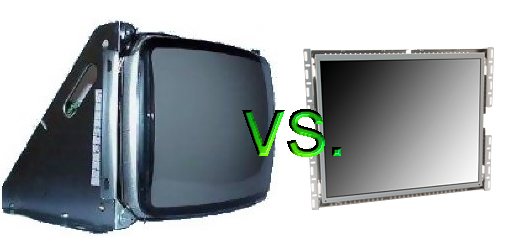
Ever since Computer Space came along until recent times, most arcade machines have used a traditional CRT monitor to display the graphics. Like any display technology, CRTs have advantages and disadvantages – the image quality varies depending on the age of the monitor but typically the quality is good with high contrast ratios and all the colors a game could need and most importantly, CRTs are cheap. The major disadvantages are weight and burn-in – something that most home users don’t experience but you often will encounter this with older arcade titles.
While the home market is moving away from CRTs to technologies that work better for high-definition needs, some new arcade games still use CRTs. But recently we have begun to see LCD (and in one or two cases from Japan plasma) sets come integrated into new games, especially with some of GlobalVR’s newest titles. Parts distributors are also now offering specially made LCD sets that can be used for replacing your old CRTs. So the question is, should you switch out your old CRT for a new LCD? Traditionally LCD monitors produce a lower quality image than a CRT but that has been rapidly changing as the technology behind such monitors has improved. The primary concerns people may have with LCDs are cost, resolution, contrast ratio and viewing angle, all of which are improving or as is the case with viewing angles, not even a major concern. Resolution is one that is typically hindered by the size of the monitor and the physical limitations of the pixels in the screen themselves. Hit the post break for a look at the new arcade LCDs one can buy with links to distributors that are currently selling such monitors (no I’m not being paid for this – I just want to throw it out there
There are three places that I have seen offer an LCD replacement for CRTs: Betson, Happ and Wells-Gardner. All three offer LCDs in a variety of sizes, generally 15″, 17″ and 19″ and they support CGA, VGA, SVGA and XGA resolutions; contrast ratio can vary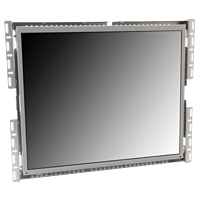 between 500:1 to 700:1 (the higher the better) and response times are pretty good. They even offer touch screen LCDs (which will be good to have around for games like Primeval Hunt) although they are expensive. Prices seem to be hovering between $300-$400 for standard 19″ LCDs – more expensive than a CRT and more expensive than your LCD computer monitor of the same size but those weren’t made to go into arcade machines (although I’m sure you could find a way). And finally LCDs eat up less electricity than a CRT does (no worries about getting zapped to death by an LCD) so in the long run you’ll save on that cost.
So for those that own an arcade game or two, what are your thoughts? Personally I am considering it – I have three games sitting in my garage that have dead monitors that will need to be fixed and I like the thought of saving a little extra cash when it comes to my electric bill as well as freeing up some weight. Obviously it would be cheaper at the moment to simply fix them although at the same time all three have some burn-in as well.
[Comment here or discuss on the forum]
Discover more from Arcade Heroes
Subscribe to get the latest posts sent to your email.


Blaine
Just because an LCD ‘supports’ a resolution, doesn’t mean it’ll look good. Personally, when using an LCD at any resolution other than the native resolution, I find the results to be blurry and soft regardless of how much the monitors cost (I’ve seen this on $7,000 LaCie color calibrated monitors).
That’s the reason I still have a Samsung CRT that I use for my Xbox 360 and Wii… because you can run it at any resolution and the picture is still razor sharp.
It drives me nuts that I can’t find a 1080p CRT monitor, let alone a reasonably priced one if they did.
My Neo cab is in need of a new monitor and it’ll just wait until I can get a nice 19″ WG CRT.
The day they make LCDs with pixels the size of electrons on phosphorous is the day I think they’re better.